TV Repair by Meryosab
TV Repair Knowledge Base

Why Does a TV Power Supply Burn Out and How to Reduce the Risk of Failure?

Let’s look at why a TV power supply fails, what makes power surges, overheating, and thunderstorms dangerous, and what actually helps reduce the risk of failure.

  • Power Supply
  • Diagnostics without guesswork replacement
  • Safety recommendations
Why Does a TV Power Supply Burn Out and How to Reduce the Risk of Failure?
Updated 21.08.2026 Author: Repair of TVs, monitors, and TV boxes · Sale of components and spare parts for TVs

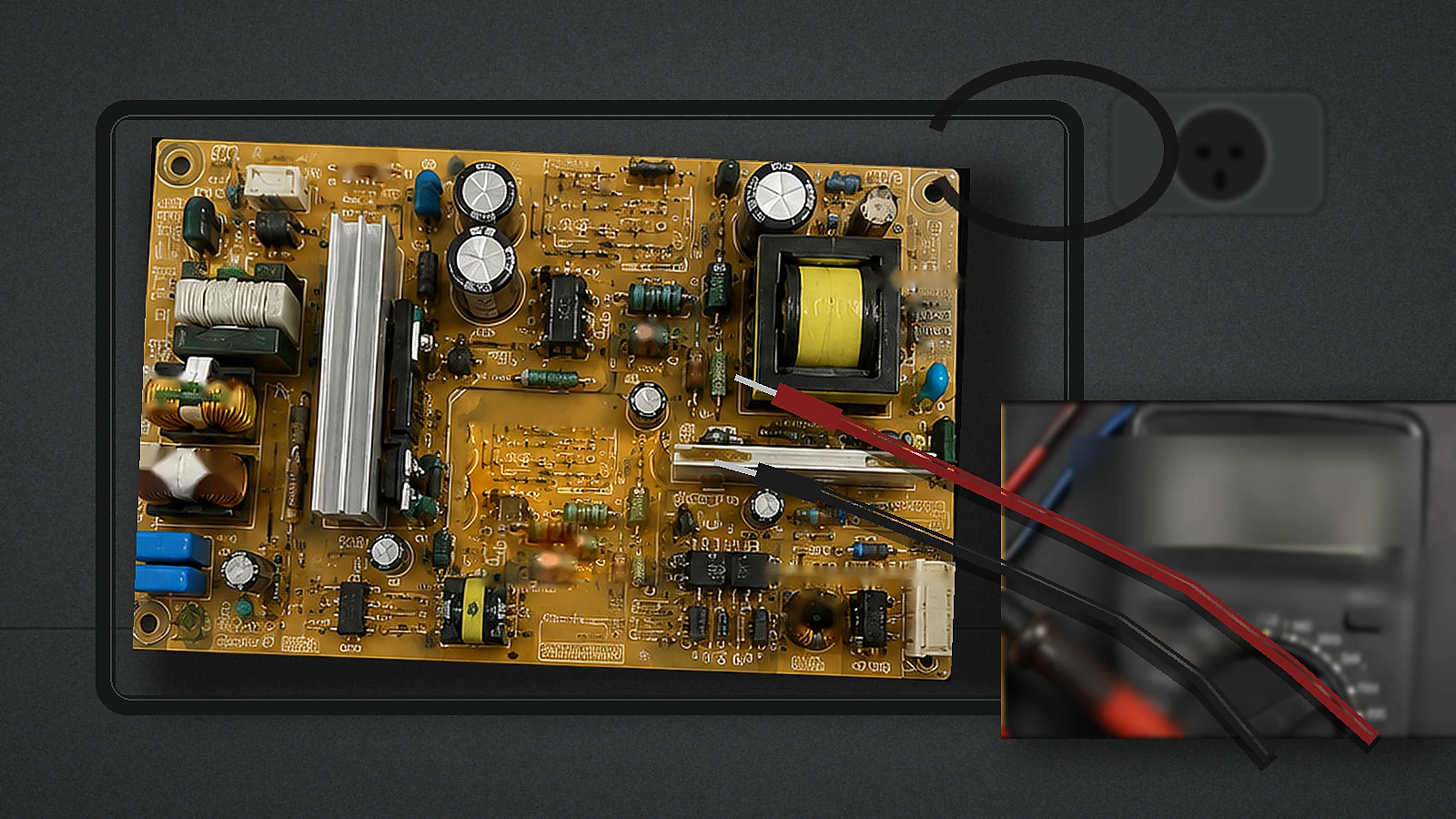
The TV power supply is one of the first components to take on everything that happens in the electrical grid. It converts the mains voltage into power lines for other TV components and, in many models, partially operates even in standby mode.

Therefore, a “burned-out power supply” is not a single diagnosis. The cause could be a voltage surge, prolonged abnormal voltage, overheating, component aging, poor contact, or a fault in another component.

Why a power supply can fail

Voltage surges

Short surges can occur due to load switching, wiring issues, grid events, or thunderstorms. A strong impulse can cause immediate damage, while repeated smaller impacts can accelerate degradation.

Thunderstorm

Surge protection reduces the risk but does not guarantee protection against a direct lightning strike. If a thunderstorm is expected, it is wise to safely disconnect the TV from the mains in advance.

Prolonged unstable voltage

SPD is designed primarily for short-term surges and does not replace electrical network diagnostics for prolonged voltage deviations.

Overheating

Blocked ventilation, cramped installation, dust, and external heat sources raise operating temperature and accelerate component aging.

Component aging

With age, component characteristics may degrade. However, unstable power-on or restarts by themselves do not prove a PSU malfunction.

Poor contacts and wiring

A socket that heats up, sparking, a burning smell, or a damaged cable require stopping use and inspection.

Load from another component

Sometimes the PSU is a consequence, not the root cause: a faulty TV component can create an abnormal load.

How to reduce the risk of damage

  • Use a genuine surge protection device. A regular extension cord with a switch does not necessarily have such protection.
  • Don’t confuse an SPD with a voltage stabilizer. Short pulses and prolonged abnormal voltage are different problems.
  • Unplug your TV well before a severe thunderstorm. Do this before dangerous thunderstorm activity begins.
  • Ensure ventilation. Do not cover the enclosure openings and follow the manufacturer’s placement requirements.
  • Watch the outlet and the cable. Do not use melted, damaged, or overheating connections.
  • Don’t ignore recurring failures. Restarts and unstable startup require finding the underlying cause.

What not to do at home

Do not open the primary side of the power supply without proper qualifications. Do not replace the fuse with a higher-rated one, do not install jumpers, and do not turn the TV back on after smoke, sparking, or a burning smell. Inside the PSU there are dangerous mains circuits, and storage components may retain a charge after disconnection.

Does a TV need a voltage stabilizer?

Not always. First, you need to determine whether there is a sustained voltage deviation and what causes it. For surges, surge protection is used; for persistent grid problems, other solutions are required, selected based on a power supply inspection.

A short reminder for the owner

  1. Use a working outlet.
  2. To protect against surges, choose a genuine SPD/surge protector.
  3. Entrust comprehensive panel protection to a qualified electrician.
  4. Before a severe thunderstorm, unplug the TV from the power outlet in advance, if it is safe to do so.
  5. Do not block the ventilation.
  6. Do not use damaged cables or outlets that overheat.
  7. If there is smoke or sparking, do not turn the TV back on.
  8. If failures recur, look for the cause.

Conclusion

The risk of power supply failure is reduced by proper wiring, appropriate surge protection, adequate ventilation, and timely response to the first signs of malfunction.

TV Repair specialists can perform diagnostics, determine the cause of the malfunction, and offer a suitable repair or maintenance solution.

Service for businesses

Repair services for stores, dealers, and corporate clients

Equipment batches, warranty service, technical reports, and white-label work — we tailor the format to your company’s actual workflow.

Discuss partnership
01Equipment batches

Unified intake, tracking, and approval.

02Reporting

Model, diagnosis, work, and status.

03White-label

Service under the partner's brand.

04Quality control

Checking each device.

People for repair

TV Repair Team

Meet the TV Repair team — specialists responsible for diagnostics, repairs, and servicing of equipment.

Our specialists

People who are responsible for diagnostics, repair, and service quality every day.

Yoldash Sabyrov
Founder and Director

Yoldash Sabyrov

Expertise

Building and developing a technology ecosystem in electronics, IT, and engineering solutions.

Yoldash Sabyrov
Founder and Head

Yoldash Sabyrov

Expertise

Building and developing a technology ecosystem in electronics, IT, and engineering solutions.

Nikita
Software Developer

Nikita

Expertise

Develops and improves software solutions, responsible for the functionality, stability, and usability of services

Rashid
TV repair technician

Rashid

Expertise

LED backlight replacement, diagnostics, disassembly and assembly of 32–55 inch TVs.

Aylin
Content Manager and Assistant

Aylin

Expertise

Managing social media and assisting the manager.

Gerchek
Screen repair technician

Gerchek

Expertise

Handles diagnostics, repair, and replacement of damaged screens on TVs and other devices.

Dmitry
Electronics Technician

Dmitry

Expertise

Home appliance repair (microwaves, multicookers, irons, vacuum cleaners, etc.) and remotes for TVs, set-top boxes, and g

Murad
Electronics engineer

Murad

Expertise

Diagnostics and repair of TVs, monitors, set-top boxes, projectors, and interactive whiteboards.

Work with us

Experienced specialists always have something to talk about.

Job openings are published only when a position is truly available. A dedicated page lists the requirements, conditions, and application form, keeping it separate from the customer repair funnel.

Electronics and component repair
Installation and service work
Client support
Can the power supply burn out if the TV is turned off with the remote?

Yes. In standby mode, part of the power supply usually remains connected to the mains.

Will a regular surge protector save you from lightning?

Only if it is a genuine surge protection device; it does not provide absolute protection from a direct lightning strike.

Do I need to unplug the TV every evening?

This isn’t a mandatory universal rule for a sound electrical network. Unplugging is especially reasonable before an expected severe thunderstorm, during a long absence, or when known network issues exist.

Why did the new power supply fail again?

The cause may lie in the electrical network, another TV module, or an incomplete diagnosis. A repeat failure calls for finding the root cause.

Can I replace the fuse myself?

Replacement without diagnostics is not recommended: a blown fuse is often a symptom of another fault, and the primary section of the PSU is dangerous.

Will a UPS help?

It depends on the specific model and the nature of the problem. Having a household UPS does not in itself guarantee protection against all types of power surges.

Based on the article

Frequently Asked Questions

Short answers on the topic “Why does a TV power supply burn out and how to reduce the risk of failure.”

All Questions
Contact us

Reach out whichever way works best for you

Leave your name and phone — we'll get back to you and point you in the right direction. Or message us directly through any channel you prefer.

Request a callback

Leave your name and phone number — we’ll get in touch, confirm the device model and the nature of the problem, answer your basic questions, and help you choose a convenient next step. You don’t need to figure out the cause of the fault in advance — just leave your contacts, and we’ll discuss the details when we reach out.

Service coverage area

TV Repair throughout Turkmenistan

Select a velayat, city, or etrap to go to the relevant page and find information for your area.

All regions